
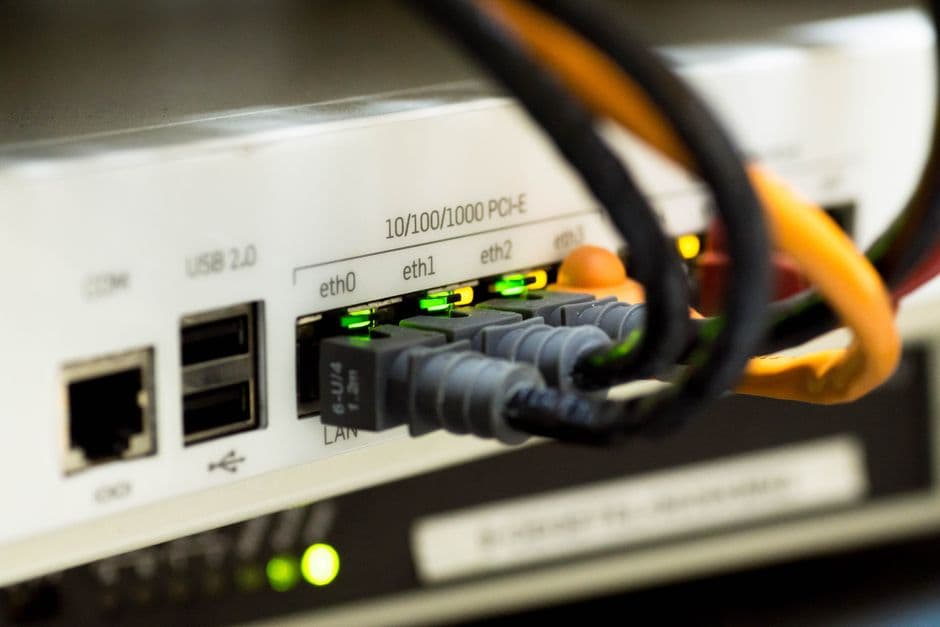
During a recent perimeter assessment for a logistics firm in Chennai, we identified several legacy D-Link DSL2600U routers acting as primary gateways for branch offices. A simple unauthenticated GET request to the path /rom-0 returned a binary file containing the router's entire configuration, including the administrative password. This vulnerability, tracked under CVE-2014-4019, remains one of the most persistent threats in the Indian SOHO (Small Office/Home Office) landscape due to the long lifecycle of ISP-provided hardware.
Understanding the D-Link DSL2600U Security Landscape
Overview of the D-Link DSL2600U Wireless N ADSL2+ Modem Router
The D-Link DSL2600U is a legacy ADSL2+ modem that was widely distributed by major Indian ISPs like BSNL and MTNL during the early 2010s. It operates on the ZynOS operating system, a real-time OS frequently used in networking hardware of that era. While it provided basic Wireless N capabilities and firewall features, its security architecture was built before the current era of automated botnet scanning and sophisticated edge-device exploitation.
In many Indian SMEs, these devices have remained in service for over a decade. We often find them tucked away in server racks or wall-mounted in retail outlets, quietly routing traffic without having received a single firmware update since installation. The lack of an automated update mechanism means that any vulnerability discovered after the initial deployment remains open indefinitely.
Why Legacy Routers are Primary Targets for Cyberattacks
Legacy routers like the DSL2600U are "set and forget" devices. Attackers target them because they provide a stable foothold within a network. Once a router is compromised, the attacker can:
- Intercept unencrypted traffic via Man-in-the-Middle (MitM) attacks.
- Modify DNS settings to redirect users to phishing pages.
- Use the device as a proxy for launching further attacks, masking the attacker's true IP.
- Enroll the device into a botnet for Distributed Denial of Service (DDoS) campaigns.
In the Indian context, the Digital Personal Data Protection (DPDP) Act 2023 now places a significant burden on data fiduciaries to maintain "reasonable security safeguards." Operating an End-of-Life (EoL) router with known exploits like rom-0 could be interpreted as a failure to protect personal data, potentially leading to penalties reaching up to ₹250 crore.
The Lifecycle of Router Vulnerabilities: From Discovery to Exploit
The rom-0 vulnerability was publicly disclosed around 2014, yet our scans across Indian IP ranges continue to show thousands of responsive devices. The lifecycle of such a vulnerability typically follows a predictable path: discovery by researchers, the release of Proof-of-Concept (PoC) scripts on platforms like GitHub, and finally, integration into automated scanning tools used by botnet operators.
Because the DSL2600U reached its End-of-Support (EoS) years ago, D-Link no longer issues patches for newly discovered flaws. This creates a permanent window of opportunity for attackers. We observed that even when users change the default password, the rom-0 exploit allows attackers to download the configuration file and extract the new password locally, rendering the change ineffective.
Common Vulnerabilities and Known Exploits in D-Link DSL2600U
Remote Code Execution (RCE) Vulnerabilities Explained
RCE is the "holy grail" for attackers. In the DSL2600U, RCE often stems from improper sanitization of input in the web management interface or the UPnP (Universal Plug and Play) daemon. Attackers can craft specific HTTP requests that include shell commands, which the router then executes with root privileges.
Cross-Site Request Forgery (CSRF) and Session Hijacking Risks
The management interface of the DSL2600U often lacks anti-CSRF tokens, a common issue highlighted in the OWASP Top 10. If an administrator is logged into the router and simultaneously visits a malicious website, that website can send "blind" requests to the router. This can be used to change the DNS settings or disable the firewall without the admin's knowledge.
Authentication Bypass: How Attackers Gain Unauthorized Access
The most notorious bypass is the rom-0 exploit. The router's web server fails to check for an active session when the /rom-0 path is requested.
Testing for the rom-0 vulnerability on a target IP
$ curl -I http://192.168.1.1/rom-0
HTTP/1.1 200 OK Content-Type: application/octet-stream Content-Length: 8192
If the server returns a 200 OK status and a file of approximately 8KB to 16KB, the device is vulnerable. This file is a compressed version of the router's settings.
Analysis of CVE-2015-2049 and Related Security Flaws
CVE-2015-2049 refers to a specific vulnerability where the router's configuration page (specifically the diag.html or similar diagnostic tools) allows for command injection. By manipulating the ping or traceroute parameters in the web UI, an attacker can append a semicolon followed by a shell command (e.g., ; telnetd -l /bin/sh -p 1234). This opens a backdoor on port 1234, providing a root shell to the attacker.
Technical Analysis of the DSL2600U Exploit Mechanism
Exploiting the Web-Based Management Interface
The web interface of the DSL2600U is served by a lightweight HTTP server integrated into the ZynOS firmware. This server does not implement modern security headers like X-Frame-Options or Content-Security-Policy. We observed that the authentication mechanism relies on basic HTTP authentication, which is sent in cleartext over the local network and can be easily sniffed if HTTPS is not supported or enabled.
Command Injection via UPnP and Telnet Services
UPnP is designed for zero-configuration networking, allowing devices to discover each other. However, the DSL2600U's UPnP implementation often contains buffer overflows. By sending a malformed NewInternalClient request to the UPnP service (usually on port 1900 or 52869), an attacker can overwrite the return address on the stack and redirect execution to their shellcode.
The Danger of Hardcoded Credentials and Default Passwords
Many DSL2600U units deployed in India were pre-configured by local ISPs with "sticky" credentials. Common combinations include:
- admin / admin
- admin / password
- admin / (blank)
- support / support
Even if a user changes the web UI password, the Telnet service often remains accessible via these default credentials. We recommend checking if Telnet is exposed to the WAN, which is a common misconfiguration in older BSNL-provided firmware.
Memory Corruption and Buffer Overflow Scenarios
The ZynOS kernel lacks modern exploit mitigations such as Address Space Layout Randomization (ASLR) or Data Execution Prevention (DEP). This makes the DSL2600U highly susceptible to classic stack-based buffer overflows. When a long string is passed to a function that expects a smaller buffer—such as the SSID field or a DHCP hostname—the application crashes, and the instruction pointer (EIP) can be controlled.
Conceptual PoC for a buffer overflow in a legacy router service
import socket
target = "192.168.1.1" port = 80 payload = "A" * 2048 # Overflows the buffer
request = "GET /" + payload + " HTTP/1.1\r\nHost: " + target + "\r\n\r\n"
s = socket.socket(socket.AF_INET, socket.SOCK_STREAM) s.connect((target, port)) s.send(request.encode()) s.close()
Real-World Impact: Botnets and DNS Hijacking
The Role of D-Link Devices in the Mirai Botnet
The Mirai botnet and its various successors (like Gafgyt and Okiru) specifically scan for legacy D-Link and TP-Link routers. These bots use a hardcoded list of default credentials and known exploits like rom-0 to gain access. Once infected, the DSL2600U becomes a "zombie" in a global network, used to launch massive DDoS attacks. Organizations can defend against such threats by implementing SIEM strategies to detect industrialized botnets.
How DNS Hijacking Redirects User Traffic to Malicious Sites
The most common "quiet" exploit we see in the field is DNS hijacking. An attacker uses the rom-0 exploit to gain admin access, then changes the router's DNS settings to point to a rogue DNS server.
- Primary DNS: 8.8.8.8 (Google) -> Changed to: 103.x.x.x (Attacker controlled)
- Secondary DNS: 8.8.4.4 (Google) -> Changed to: 103.x.x.x (Attacker controlled)
When a user in the office tries to visit onlinesbi.sbi or hdfcbank.com, the rogue DNS server returns the IP address of a pixel-perfect phishing site. Since the change happens at the router level, every device in the office (phones, laptops, IoT devices) is affected.
Privacy Risks: Data Interception and Man-in-the-Middle (MitM) Attacks
With control over the router, an attacker can implement a transparent proxy or use tcpdump (if the firmware allows) to capture sensitive packets. In an Indian SOHO environment, this often results in the theft of GST login credentials, bank OTPs (if intercepted via web-based SMS sync apps), and private business communications.
How to Identify if Your D-Link DSL2600U is Vulnerable
Checking Your Current Firmware Version and Build Date
Log into the web interface (usually 192.168.1.1) and look for the "Device Info" or "Status" page. Vulnerable firmware versions for the DSL2600U often include:
- IN_1.00
- IN_1.01
- ME_1.00
If the build date is earlier than 2016, the device is almost certainly vulnerable to rom-0 and several RCE exploits.
Identifying Indicators of Compromise (IoC) in Router Logs
Check the system logs for unusual activity. Look for:
- Repeated login failures from unknown external IP addresses.
- Log entries showing "UPnP set port mapping" for ports you didn't configure (e.g., port 5555, 6667, or 31337).
- DNS server settings that you do not recognize, particularly those pointing to IP ranges in unfamiliar geographic locations.
Using Security Scanners to Detect Open Ports and Vulnerabilities
We use nmap to quickly audit these devices. The http-vuln-cve2014-4019 script is specifically designed to detect the rom-0 flaw.
Running an Nmap scan to detect the rom-0 vulnerability
$ nmap -p 80 --script http-vuln-cve2014-4019 192.168.1.1
PORT   STATE SERVICE 80/tcp open  http |_http-vuln-cve2014-4019: VULNERABLE: The 'rom-0' configuration backup is accessible without authentication.
Additionally, use snmpwalk to check if the public community string is active, which can leak system information.
Checking for SNMP information leakage
$ snmpwalk -v2c -c public 192.168.1.1 1.3.6.1.2.1.1.1.0
Mitigation Strategies and Security Best Practices
Step-by-Step Guide to Updating D-Link Firmware
If the router is not yet EoL, check the D-Link India support website for updates.
- Download the
.binfirmware file from the official support portal. - Disconnect the ADSL line to prevent interruptions.
- Navigate to Maintenance > Firmware Update in the web UI.
- Upload the file and wait for the reboot.
Note: For the DSL2600U, most available updates are still several years old and may not patch all vulnerabilities.
Disabling Remote Management, UPnP, and WPS
The most effective way to harden a legacy router is to reduce its attack surface:
- Disable Remote Management: Ensure the web UI is not accessible from the WAN side (Internet).
- Disable UPnP: This prevents internal malware from automatically opening ports on the firewall.
- Disable WPS: Wi-Fi Protected Setup is vulnerable to brute-force attacks (e.g., Reaver).
Implementing Strong Administrative Passwords and WPA2 Encryption
If you must use the device, change the default credentials immediately. Use a complex password of at least 16 characters. Ensure the Wi-Fi is set to WPA2-AES (CCMP). Avoid WPA-TKIP as it is cryptographically weak.
Configuring Firewall Rules to Block Malicious Inbound Traffic
If you have a downstream firewall or a Linux-based gateway, you can block access to the router's management ports. For more detailed steps on protecting your servers, see our guide on SSH security hardening best practices.
Iptables rule to restrict web management access to a specific internal IP
$ iptables -A INPUT -p tcp -s 192.168.1.100 --dport 80 -j ACCEPT $ iptables -A INPUT -p tcp --dport 80 -j DROP
For those using a reverse proxy in front of their management interfaces, use this Nginx snippet to block the rom-0 request:
Nginx mitigation snippet to block unauthorized access to configuration backup files
location ~* /rom-0$ {     deny all;     return 403; }
The Importance of Upgrading End-of-Life (EoL) Hardware
Why Manufacturers Stop Supporting Older Router Models
Hardware manufacturers like D-Link operate on thin margins for SOHO equipment. Maintaining a security team to backport patches to 10-year-old MIPS or ARM architectures is not financially viable. Once the hardware reaches EoL, the code base is frozen. Any new vulnerability discovered in the underlying ZynOS or BusyBox components will never be fixed for that model.
Recommended Modern Alternatives for Secure Home Networking
For Indian SOHO users, we recommend moving away from ADSL entirely if fiber (FTTH) is available. Modern ONT (Optical Network Terminal) devices are generally more secure, though they still require auditing. If you are stuck with ADSL, consider putting the DSL2600U into "Bridge Mode" and using a modern router (e.g., from Ubiquiti, MikroTik, or newer TP-Link Archer series) to handle the PPPoE dialing and firewalling.
Final Checklist for Securing Your Home Gateway
- Verify if
/rom-0is accessible from the WAN. - Change the default
adminusername if the firmware allows. - Disable Telnet (Port 23) and use SSH if available. For modern infrastructure, transitioning to secure SSH access for teams ensures that management interfaces are never exposed directly to the public internet.
- Check DNS settings monthly for unauthorized changes.
- Plan a hardware refresh cycle every 3-5 years to stay within the manufacturer's support window.
To verify if your current configuration is leaking the rom-0 file, run the following command from an external network (if remote management is on) or an internal machine:
$ curl -O http://[target_ip]/rom-0 && hexdump -C rom-0 | head -n 20